Technical SEO Checklist: A Practical 2026 Guide
A grouped, actionable technical SEO checklist for 2026: crawlability, indexability, HTTPS, redirects, site structure, Core Web Vitals, structured data, and mobile.
The most common pattern I see in SEO audits is sites doing hard work at the wrong layer. Polished meta descriptions on pages Google can't crawl. Careful keyword research on content sitting behind a noindex tag. Beautiful structured data on an HTTP page.
Technical SEO is the foundation. Get it wrong and everything above it is largely wasted.
This checklist is ordered by priority, not by convention. Work top to bottom, because fixing a robots.txt that blocks your entire site matters infinitely more than cleaning up your anchor text.
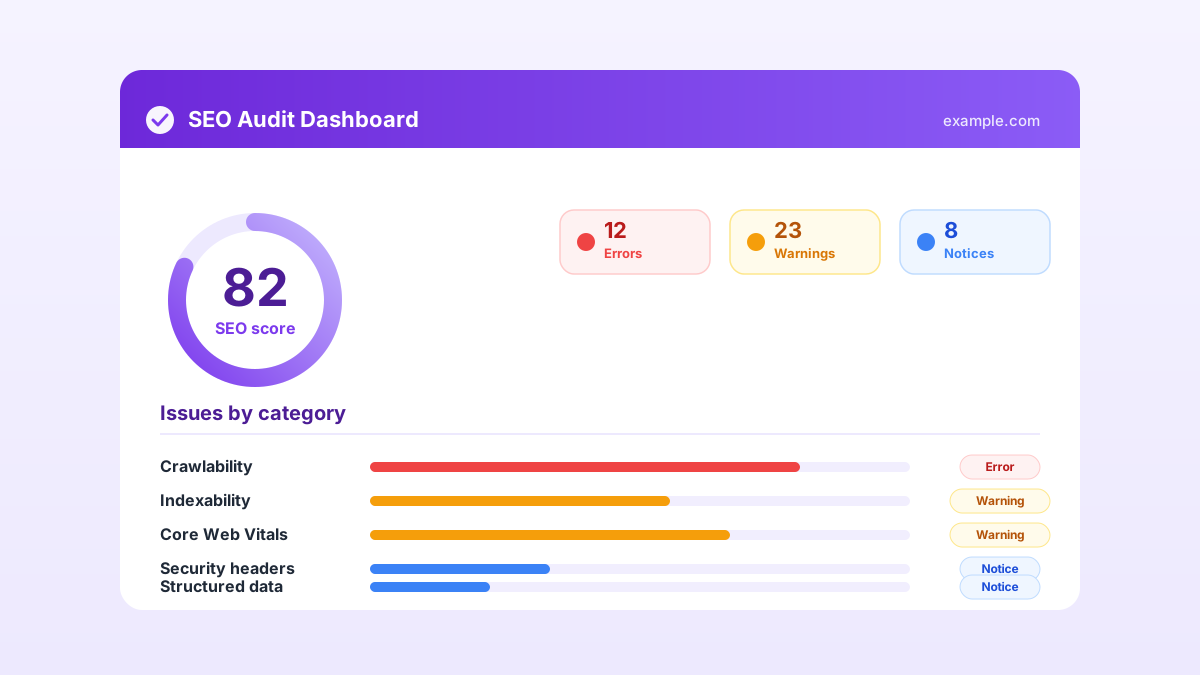
Crawlability: can search engines reach your pages?
Two files control most of this. Both are worth reading carefully rather than assuming they're correct.
robots.txt tells crawlers where they can and can't go. The classic own-goal is a Disallow: / left over from a staging environment that accidentally blocks the entire domain. I've seen this on live, actively-ranked sites more than once. Also check that you're not disallowing CSS or JavaScript folders — Google needs those to render your pages.
Use the robots.txt tester to see exactly what each bot is allowed or blocked on, rather than reading the file and assuming you've read it right.
XML sitemap is the inverse: the list of pages you want indexed. Keep it clean:
- Only canonical, indexable, 200-status URLs
- Nothing that redirects, 404s, or carries a noindex tag
- Submit it in Google Search Console and reference it from robots.txt with a
Sitemap:directive - Each file under 50,000 URLs; use a sitemap index for larger sites
Crawl budget matters at scale. Session IDs, infinite faceted navigation, and calendar pages can eat a crawler's entire allowance before it reaches your real content. URL parameters that create duplicate pages without canonical tags are a common and easy-to-miss culprit.
Indexability: will the right pages enter search results?
Crawling just means Google visited the page. Indexing means it entered the search results. These can diverge in ways that aren't immediately obvious.
Canonical tags (rel="canonical") tell Google which version of a page is the master copy when near-duplicates exist — the same product reachable via three category paths, for instance. Every page should have a self-referencing canonical unless it's deliberately pointing elsewhere. The common mistake: a canonical pointing to http:// on an https:// site, or pointing at a redirect target instead of the final URL.
noindex directives are useful for thank-you pages, internal search results, and thin tag archives. They're dangerous when they land on pages you meant to rank — which happens surprisingly often after site migrations, when staging-environment meta tags survive into production.
The two signals must agree. A page that is noindexed but also listed in the sitemap sends conflicting instructions. The meta tag checker surfaces these conflicts quickly.
HTTPS and security
HTTPS has been a Google ranking signal since 2014 and browsers now label HTTP pages as "Not Secure." Quick checklist:
- Valid certificate on all pages
- HTTP versions 301-redirecting to HTTPS
- One canonical host: www or non-www, with the other redirecting to it
- No mixed content: no HTTP images, scripts, or stylesheets loading on HTTPS pages
- Security headers: HSTS, Content-Security-Policy, X-Frame-Options
Those headers won't directly improve rankings, but they're a signal of a properly maintained site and they genuinely protect your users.
Redirects and links
Redirects are necessary, but messy ones leak authority and slow crawling.
| Problem | Effect | Fix |
|---|---|---|
| 302 used for permanent move | May not consolidate link equity | Use 301 for permanent moves |
| Redirect chains (A to B to C) | Wastes crawl budget, slows users | Point A directly to C |
| Redirect loops | Page never loads | Break the loop |
| Internal links to redirected URLs | Forces an extra hop every visit | Update to the final destination |
| Broken internal links (404s) | Dead ends for users and bots | Fix or remove |
The rule: always link to the destination you actually want. Never link to a URL you know bounces somewhere else.
Site structure
A flat, logical structure helps both users and crawlers understand what matters. Any important page should be reachable within three or four clicks from the homepage. Deeply buried pages get crawled less frequently and tend to rank worse.
Internal linking is the lever. Link related pages to each other with descriptive anchor text, group content into clear topic clusters, and make sure your most valuable pages collect the most internal links. Pages with no internal links pointing at them — orphan pages — are easy to miss and difficult for Google to discover without a crawl-based audit surfacing them.
Core Web Vitals
Google's user-experience metrics feed into rankings. Three to hit in 2026, measured at the 75th percentile of real visits:
| Metric | Measures | Good threshold |
|---|---|---|
| LCP (Largest Contentful Paint) | Loading speed of main content | Under 2.5 seconds |
| INP (Interaction to Next Paint) | Response to taps and clicks | Under 200 milliseconds |
| CLS (Cumulative Layout Shift) | Visual stability while loading | Under 0.1 |
INP replaced First Input Delay in March 2024 and is the harder test — it measures every interaction on the page, not just the first one. Common quick wins: compress images to WebP or AVIF, set explicit dimensions on images and videos to stop layout shifts, and defer non-critical JavaScript.
Structured data and mobile
Structured data (schema.org JSON-LD) describes your content to search engines and unlocks rich results: star ratings, FAQ accordions, breadcrumbs, recipe cards. Use the types that match your actual visible content, test with Google's Rich Results Test, and never mark up content that isn't shown on the page.
Mobile is the default, not an afterthought. Google indexes the mobile version of your site first. If content or links exist only on desktop, they effectively don't exist. Confirm that mobile and desktop serve the same content, tap targets aren't cramped, and nothing important is hidden behind an interstitial.
Where to start
Fix the blockers first. Anything stopping pages from being crawled or indexed. Then HTTPS and redirect problems. Then performance and structured data. That order gives the biggest return for the least effort.
For a wider view that covers on-page and content issues alongside the technical ones, pair this checklist with the free SEO audit checklist.
Or skip the manual pass: a free SEO audit checks most of this list automatically in about a minute and hands you a prioritised fix list. No signup required.
Kaustav Basak is the creator of SEO AI Audits, a free AI-powered SEO toolkit. He writes about technical SEO, Core Web Vitals, and how search is changing in the age of AI assistants.
Put this into practice — free
Run a complete, AI-powered SEO audit of your site in about a minute. No signup.