The Complete Free SEO Audit Checklist (26 Checks for 2026)
A practical, no-cost SEO audit checklist covering technical SEO, on-page, Core Web Vitals, security, content, and AI-era factors — with the free tools to check each one.
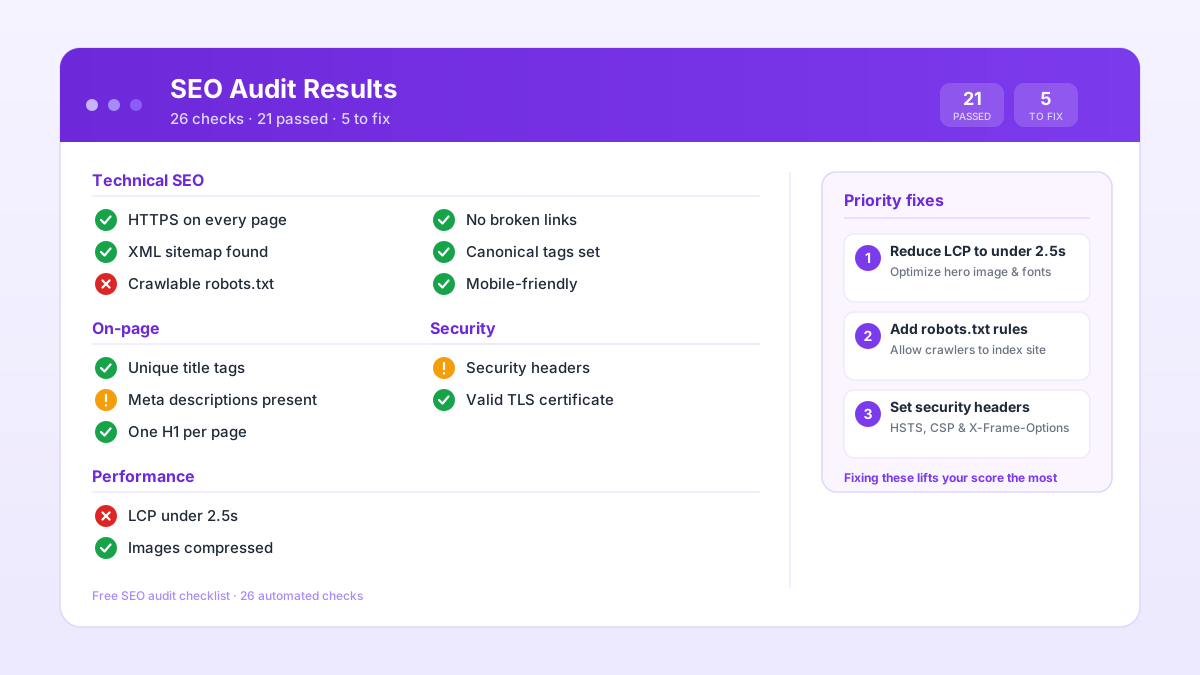
An SEO audit doesn't have to be expensive or complicated. With a methodical checklist and a handful of free tools, you can find most of what's holding a site back in an afternoon. This is the same 26-point checklist the free SEO audit runs automatically — laid out here so you can work through it by hand if you prefer.
One thing before you start: work top to bottom. Technical blockers cap everything below them. There's no point refining meta descriptions on a page Google can't crawl, or improving content on a page sitting behind an accidental noindex tag.
Technical SEO
If search engines can't reach your pages, none of the other checks matter.
- HTTPS on every page. Valid certificate, all HTTP URLs redirecting to HTTPS with a 301. Check for mixed content too: HTTP images or scripts loading on an HTTPS page break the browser padlock and can block resources.
- robots.txt is not blocking anything important. Read it. A stray
Disallow: /is more common than you'd think — often a staging-environment remnant that survived into production and is now blocking Googlebot from the whole site. Confirm with the robots.txt tester. - XML sitemap is clean and submitted. Only canonical, indexable, 200-status URLs. Submitted in Google Search Console.
- Canonical tags are correct. Every page should declare a canonical. A canonical pointing to
http://on anhttps://site, or to a redirect target instead of the final URL, actively harms indexing. - Redirects are clean. 301s for permanent moves. No chains (A to B to C — always point A straight to C). No loops.
- Important pages are within reach. Three or four clicks from the homepage. Orphan pages with no internal links pointing at them won't be discovered.
On-page SEO
The elements you control directly on each page.
- Title tags are unique and descriptive. Roughly 30 to 60 characters, primary keyword near the front. Duplicate title tags and missing titles are two of the most common issues across any site.
- Meta descriptions are written to earn the click. Unique, 120 to 155 characters. Not just a summary — think of it as a one-line pitch for why this page is the right one.
- One H1 per page. With a logical H2/H3 hierarchy underneath. Multiple H1s on a single page confuse both users and crawlers.
- Images have alt text. Descriptive, not keyword-stuffed. Every meaningful image.
- Keyword coverage feels natural. Write for the reader and cover the topic properly. Keyword density takes care of itself.
- Structured data is valid. JSON-LD markup (Article, Product, BreadcrumbList, Organization) makes you eligible for the rich results Google still supports. FAQPage is still valid markup and still labels your Q&A for anything parsing the page, but Google ended FAQ rich results on 7 May 2026, so it earns no Google result format now (Google's structured data gallery, read 2026-09-23). Test the rest against Google's Rich Results Test.
Performance and Core Web Vitals
Speed is both a ranking factor and a conversion factor. Fixing this section pays off twice.
- LCP (Largest Contentful Paint) under 2.5 seconds. Usually a hero image or an H1. Identify the LCP element first — don't guess — then optimise that specific thing.
- INP (Interaction to Next Paint) under 200ms. Replaced FID in March 2024. Slower to fix than LCP because poor INP is usually a JavaScript problem: long tasks, heavy third-party scripts, event handlers that do too much.
- CLS (Cumulative Layout Shift) under 0.1. Set explicit dimensions on images and videos. Reserve space for ads with a fixed container. Don't insert content above existing content after load.
- Images are compressed to WebP or AVIF. And lazy-loaded below the fold.
- Mobile rendering is correct. Responsive layout, correct viewport tag. Google indexes the mobile version of your site first, so test it on a phone.
Security and trust
These stay quiet until something breaks — and then they matter a lot.
- Security headers are in place. HSTS, Content-Security-Policy, and X-Frame-Options are the three I'd check first.
- No mixed content. No HTTP resources loading on HTTPS pages.
Accessibility and UX
Accessibility and SEO push in the same direction: both reward clean, usable pages. Check colour contrast, readable font sizes, tap targets that work on mobile, and form labels that screen readers can announce. The UX checker runs Lighthouse and covers all of these in one pass.
Content quality
- No thin content. Every indexable page should earn its place. If it doesn't, improve it, merge it into something stronger, or remove it.
- No duplicate content. Consolidate near-duplicates or canonicalize them.
- Internal linking is intentional. Your most important pages should be the most-linked. Fix broken links and surface orphan pages.
- Cornerstone content is current. Stale guides that were once authoritative don't tend to hold their rankings. Revisit them.
AI-era factors: AEO, GEO and AIO
This is the newest layer, and the one most checklists still skip. A growing share of searches end inside an AI-generated answer rather than on a results page.
- AEO (Answer Engine Optimization). Content structured to win featured snippets and answer boxes. Lead with the answer and use question-phrased headings — that visible copy is what wins the snippet. FAQPage and HowTo schema label it for anything parsing the page; neither earns a Google result format any more. Covered in depth in the AEO guide.
- GEO (Generative Engine Optimization). Pages that are easy for AI assistants to cite. Clean structure, specific claims, visible author signals. The GEO guide covers the full on-page approach.
- AIO (AI Indexing Optimization). Structured data and semantic HTML, so anything parsing your pages reads them without guessing. An llms.txt file is optional: no major AI search engine documents reading one, which is why the audit reports it without scoring it.
- AI crawler access. Confirm that answer-engine bots like OAI-SearchBot and PerplexityBot aren't accidentally blocked in your robots.txt.
The honest shortcut
Working through 26 checks manually is the best way to actually understand what's on your site. It's also slow.
If you'd rather start from a finished list, the free SEO audit crawls up to 500 pages, runs every check above automatically, and gives you a prioritised fix list with an AI action plan. No signup, no credit card.
My own workflow is to run the automated audit to find the issues, then use the individual free tools to dig into and fix each one. The full loop costs nothing.
SEO AI Audits builds free, AI-powered SEO tools and writes practical guides on technical SEO, Core Web Vitals, and how search is changing in the age of AI assistants.
Put this into practice — free
Run a complete, AI-powered SEO audit of your site. No signup.